
WORKSPACE GUIDE
Organize your
Git repositories.
Client work, personal projects, libraries and experiments can share one workspace. Here’s how to keep them easy to find in Desk for Git on Mac, Windows and Linux.
1. Find repositories already on your computer
Use Add repository for a single project, or Scan folder when your projects live under a shared parent folder. Desk for Git discovers Git repositories so you can bring them into the workspace without cloning them again.
This also works with local Git repositories you use in another Git client or the terminal. The commit history, branches and remote URLs remain part of the same repository.
2. Group projects with sidebar folders
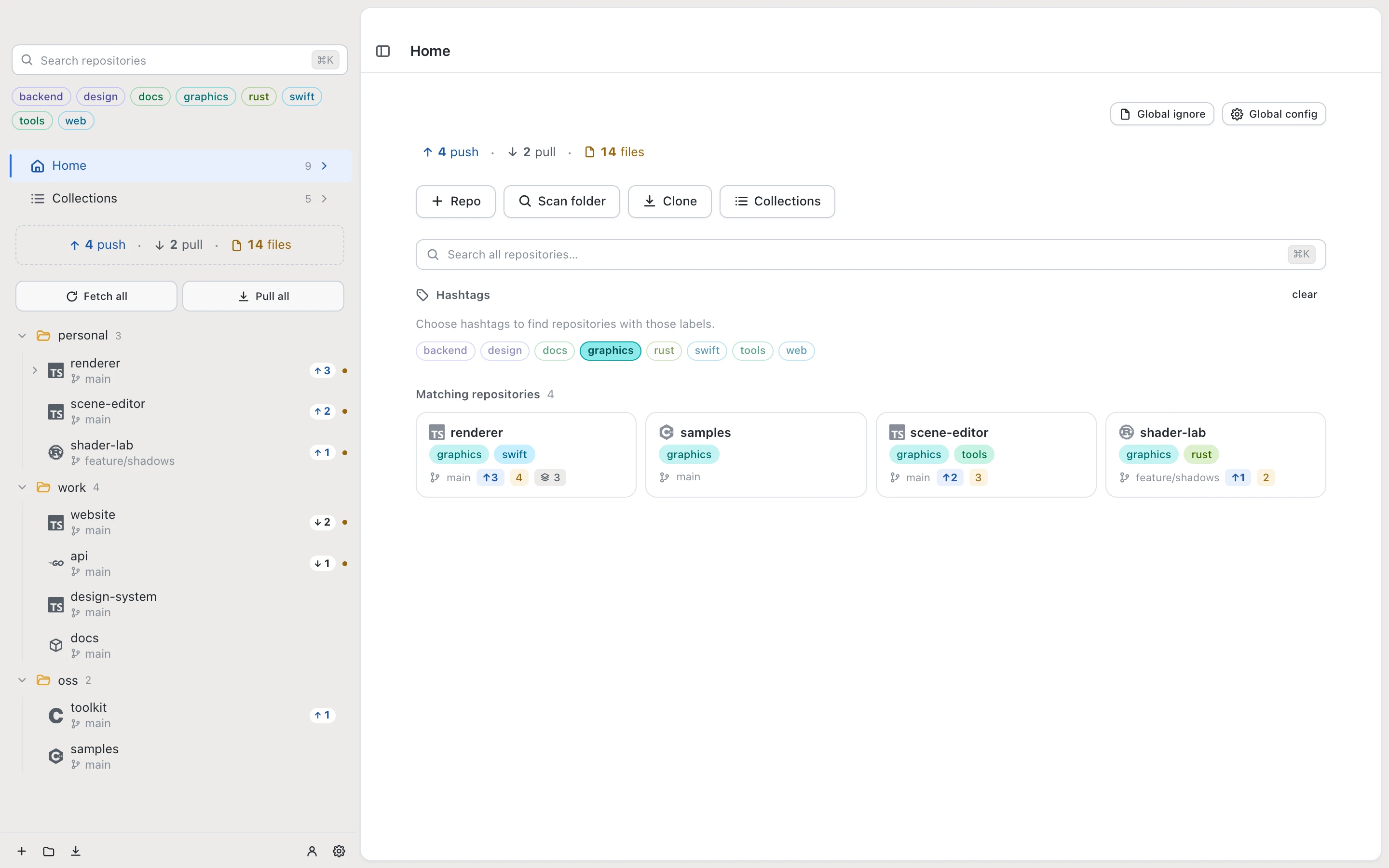
Create folders for categories you recognize at a glance: Work, Personal or Libraries. Nest folders for a client, team or group of related projects. Sidebar folders organize your Desk for Git workspace; they do not move repository folders on disk.
For example, keep a client’s web app, API and infrastructure repositories together. Pin the projects you use most often so they stay easy to reach.
3. Use tags for projects that overlap
Folders describe where a project belongs. Tags let you find it in other contexts. A project can sit under a client folder and also carry tags such as frontend, api or design.
Select a hashtag in the sidebar to filter matching repositories. Use repository search when you already know the project’s name. Try the interactive tag filter on the Desk for Git home page.
4. See what needs a push, pull or review
The sidebar summarizes pending pushes, pulls and changed files. Use these status filters to narrow the workspace to the repositories that need attention.
Review and commit changes inside each repository. Then use bulk fetch, pull or push to update ready projects across your workspace or within a folder. The result shows which operations completed and which need attention.
5. Find history and related repositories
Open History to search commit titles and descriptions across branches, then inspect a matching commit’s files and diff. For projects with submodules, expand the repository in the sidebar to reach those nested repositories.
Use Collections for repositories you want to remember, even before cloning. Add notes, group saved sources and browse Awesome Lists when you’re exploring projects to bring into your work.
Build a workspace around your projects
Desk for Git works with GitHub, GitLab, Bitbucket, Gitea and self-hosted Git servers. Start free with one repository and one connected account on Mac, Windows or Linux. Pro unlocks unlimited repositories, accounts, Collections and bulk operations. Pro includes two active computers; Pro+ includes five.
Get Desk for Git